
BCC - Basic Computer Course
Course Overview
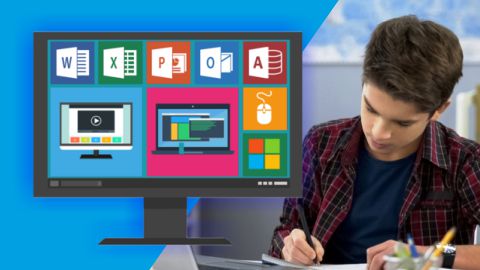
Want to understand computers and learn about the software used in everyday office work? The Basic Computer Course from Acme Collins School covers computer fundamentals, Microsoft Word, Microsoft Excel, Microsoft PowerPoint, and internet basics.
The course contains 87 lectures across five subject areas. You will study computer hardware, memory and storage devices, document formatting, spreadsheets, presentations, web browsers, and search engines.
Each subject covers a different part of basic computer knowledge. Here is what you will study in each section.
What Will You Learn?
1. Introduction to Computers
Start by learning what a computer is, how it is used, and what its main components do.
This section covers computer systems, the CPU, hardware, data and information, bits, memory locations, and different types of computer memory. You will also study RAM, ROM, cache memory, secondary storage, and optical disks.
The lessons introduce common computer terms and explain the differences between restarting, shutting down, sleeping, and locking a Windows computer. You will also learn about connecting a keyboard and the types of storage devices used to keep information.
These topics will help you understand the basic parts of a computer and the terms used to describe them.
2. Microsoft Word
Microsoft Word is used to create and edit documents such as letters, reports, notices, and other text-based files.
In this section, you will learn about opening, saving, closing, and printing documents. You will study text selection, editing, Find and Replace, font formatting, paragraph formatting, page layout, and spelling checks.
The lessons also cover Copy, Cut, Paste, Paste Special, Format Painter, bullets, numbered lists, multilevel lists, text highlighting, font colours, and changing text between uppercase and lowercase.
You will also study sorting text, numbers, and dates; working with borders; inserting graphics, tables, charts, and blank pages; and using document templates.
Other topics include the difference between Save and Save As, creating and printing merged documents, exporting documents as PDF files, and using Word's document protection and management features.
This section explains the Word tools used to prepare, format, save, and print documents.
3. Microsoft Excel
Microsoft Excel is a spreadsheet application used to organise data, perform calculations, and present information in rows and columns.
You will learn about spreadsheets and worksheets, entering data, and inserting or deleting worksheets. The lessons introduce operators and functions used to perform calculations and work with spreadsheet information.
You will also study worksheet formatting, printing, and charts. The section includes topics on integrating text into spreadsheets and working with text from web pages.
These lessons will help you understand the main spreadsheet features covered in the course and how they are used to arrange and present data.
4. Microsoft PowerPoint
Microsoft PowerPoint is used to create slide-based presentations for classrooms, meetings, and other settings.
This section covers creating and saving presentations, working with different presentation views, arranging slides, and formatting text and paragraphs.
You will also study spelling checks, drawing objects, working with presentation objects, and inserting pictures and clip art.
The lessons include Notes Master and handouts, designing slide shows, and printing slides. Together, these topics cover the main PowerPoint features included in the course.
5. Internet, World Wide Web and Web Browsers
The internet allows people to find information, communicate, and access online services. A web browser is the software used to open websites and view online content.
This section introduces computer networks, the internet, internet services, and online communication. You will study how to prepare a computer for internet access and learn about different ways to connect to the internet.
The lessons also cover web-browsing software, browser configuration, search engines, searching for information, and accessing a web browser.
These topics will help you understand the basic concepts behind internet access, web browsing, and online searches.
Who Is This Course For?
This course may suit students, job seekers, and other learners who want to build or improve their basic computer knowledge.
It may be useful if you want to:
Understand computer hardware, memory, and storage devices.
Learn about the features available in Microsoft Word, Excel, and PowerPoint.
Understand how documents, spreadsheets, and presentations are organised.
Become familiar with internet access, web browsers, and search engines.
Improve your knowledge of common computer terms and office software.
Before You Enrol
Read the detailed syllabus to see the individual lessons covered in each subject. Check the course requirements as well, particularly the stated requirements for computer familiarity, English, and access to a computer with an internet connection.
Choose this course if the subjects listed above match what you want to learn.
Course Curriculum & Syllabus
5 Chapters • 87 Lessons
Examination & Passing Guidelines
- Access your course-specific online examination anytime from your student dashboard.
- Allocated examination duration is 60 minutes with automatic countdown submission.
- Minimum passing score required for certification is 50%.
- No negative marking for incorrect answers.
- Upon passing, your official certificate with QR code verification is immediately generated.
- Subsidized exam retakes are available if you wish to improve your score.
Reach our academic counselors via WhatsApp at +91 98587 99587.